
Version 1.4 is our biggest release yet — and it’s built around what our users have been asking for. Full WooCommerce product translation, proper translated URL slugs, and a new Exclude Words feature that gives you control over what stays untranslated.
Here’s what’s new across the 1.4 series (up to v1.4.11).
Full WooCommerce Product Translation
This is the headline feature. Starting in 1.4.0, Meep AI Translator can translate your entire WooCommerce catalog — not just page content, but the product data that actually drives sales in new markets.
What gets translated:
- Product titles, descriptions, and short descriptions
- Product attributes (size, color, material — whatever you’ve set up)
- Variable products, including all variations with proper parent-child relationships preserved
- Product gallery image SEO: alt text, captions, and descriptions
- WooCommerce-specific Gutenberg blocks (dynamic blocks are skipped automatically, content blocks are translated)
What it means for your store:
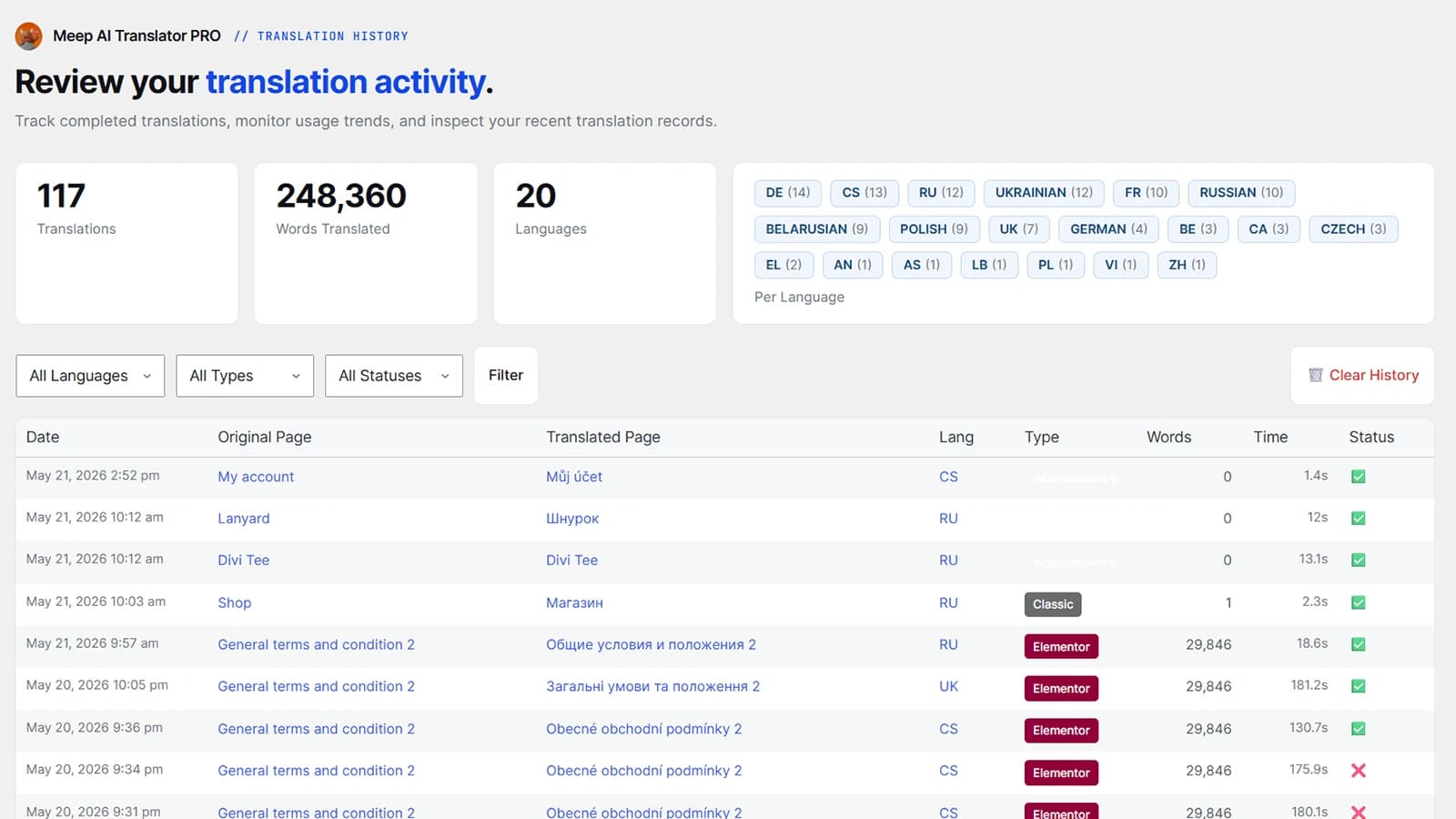
Your translated products get their own clean URLs (/de/product/schuh/), a dedicated Products tab in the Meep dashboard for management, and full frontend locale switching — so buttons like “Add to cart” display in the correct language automatically.
We also fixed a handful of edge cases: products with no editor content are now correctly detected as WooCommerce type, translated products no longer appear as duplicates in the dashboard, and product deletion works properly from within the plugin.
Translated URL Slugs
Before 1.4.11, translated pages reused the source language slug. So your German translation of /services/ would still live at /de/services/ instead of /de/dienstleistungen/.
That’s fixed now. Translated pages get proper translated slugs, which is better for SEO and better for your visitors who expect to see URLs in their own language.
Exclude Words
Sometimes you don’t want certain terms translated. Brand names, product codes, technical terms, legal phrases — there are plenty of cases where the AI should leave a word alone.
Version 1.4.11 adds an Exclude Words tab in the Settings page where you can manage a list of terms that should never be translated. The Settings button on the main plugin page now opens this directly, so it’s easy to find and use.
SEO Translation
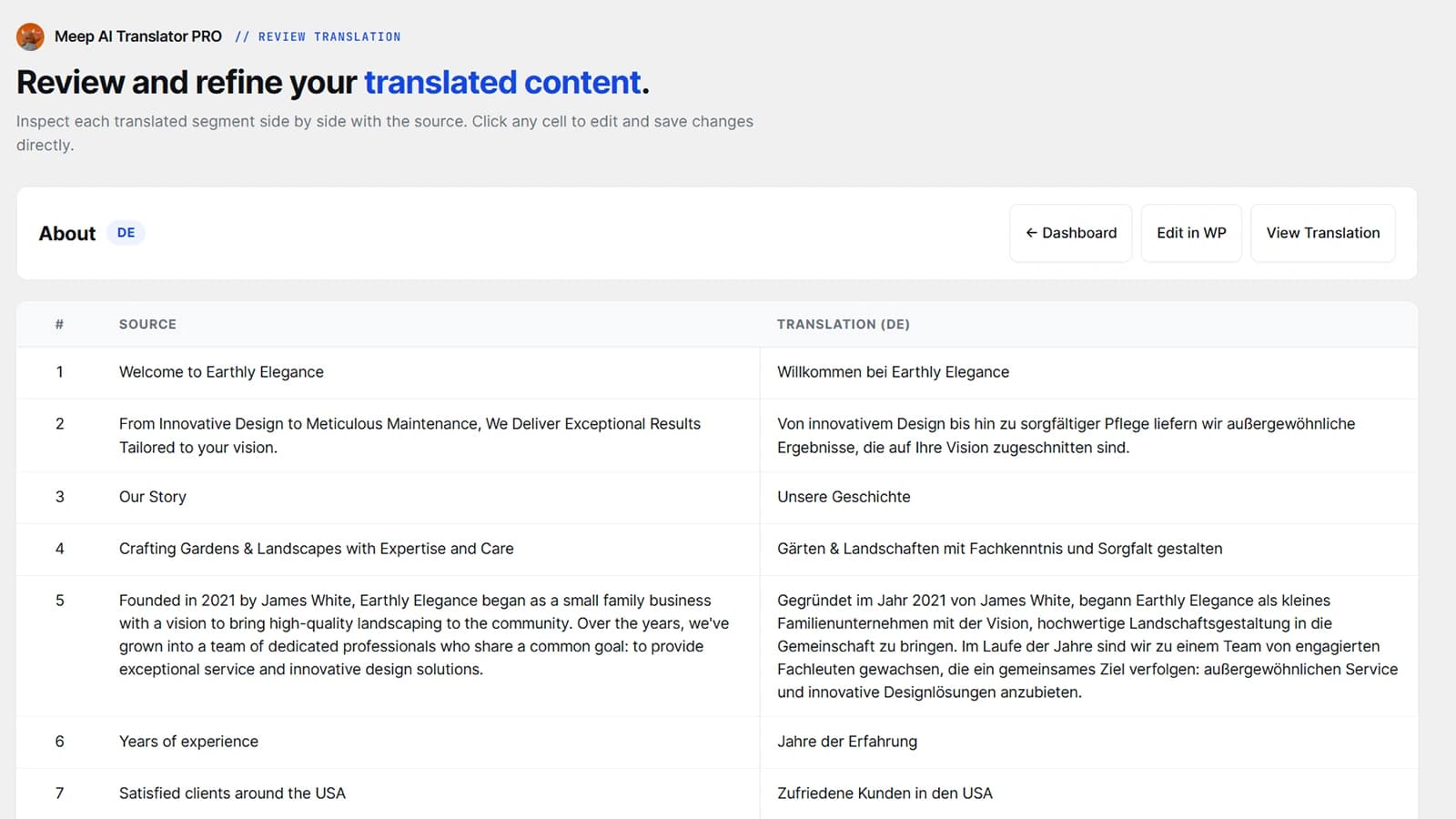
Meep automatically translates your SEO meta titles, descriptions, Open Graph tags, and Twitter Card data — so your translated pages are fully optimized for search and social sharing out of the box.
Smarter Free vs. Paid Experience
We’ve cleaned up the experience on both sides:
- Free users now get a clear single-language selection with upgrade prompts — no confusion about what’s available on each tier.
- Paid users no longer see false “Monthly Limit Reached” notices. We fixed the usage reporting to send the actual license key, so paid license detection works correctly and won’t trigger false cooldowns.
UI & Stability Improvements
A lot of smaller fixes add up across the 1.4 series:
- The metabox now shows a helpful setup message with a link to the dashboard when no multilingual plugin is configured, instead of leaving you guessing.
- Removed unnecessary dependency notices — Elementor and multilingual plugins are no longer flagged as required.
- Fixed checkbox alignment and visibility issues in admin settings and the Translate All view.
- Added a review prompt after successful translations (if you’ve had a good experience, we’d love to hear about it on WordPress.org).
- General stability improvements throughout.
Version 1.4.11 is available now on WordPress.org. If you’re running any earlier 1.4.x version, update to get the slug translation and exclude words features.
Running a WooCommerce store in multiple languages? This is the release we built for you.
Ready to translate your store?
Try Meep AI Translator free or grab the Agency Lifetime Deal for $299 while it’s still available.
Have questions or feedback? Reach out at support@meeptech.com or leave a review on WordPress.org.