Share
Share
Major Release5 min read

Meep AI Translator 1.8: Translation Memory, Background Auto-Sync & Multi-Engine AI (Claude 3.5 & DeepL)

Our biggest release yet — cutting token usage by up to 50%, introducing true 'Set & Forget' background synchronization, and giving you multi-model AI routing.

Denis Tchernoukho
Denis Tchernoukho
Founder, Meep Tech · Published August 23, 2026
Meep AI Translator 1.8 Release Overview

Executive Summary

  • 🧠 Smart Translation Memory (TM): Automatically caches translated sentence segments. Identical buttons, headings, and paragraphs across your site are translated once and reused forever at 0 word cost (saving 30%–50% on word limits).
  • ⚡ Autonomous Background Auto-Sync: True "Set & Forget" translation. Updating pages, posts, WooCommerce products, or Elementor templates automatically triggers non-blocking background sync for all linked translations.
  • 🤖 Multi-Engine AI Routing: Choose dynamically between Anthropic Claude 3.5 Sonnet, DeepL Pro, and OpenAI GPT-4o directly in Settings → General (no separate API keys needed).
  • 🎠 6-Tab Settings Hub & Carousel: Cleanly organizes performance, switcher customization, form/template detection, ecommerce integrations, and brand glossary intelligence.
  • 🔍 Live Search for Strings & Review Workspace: Instant search-as-you-type filter with match counters for custom UI strings, plus a side-by-side translation review workspace.

As WordPress websites grow with custom post types, complex page builders, and frequent content updates, keeping multilingual translations synchronized and affordable can be a challenge. With Meep AI Translator 1.8, we set out to solve both: introducing Smart Translation Memory to cut your word usage in half, Autonomous Background Auto-Sync for effortless maintenance, and Multi-Engine AI Routing with Claude 3.5 and DeepL Pro.

Upgrade to Version 1.8
Available today via WordPress Dashboard 1-Click Update & WordPress.org
Get Free Plugin →

What’s New in Version 1.8

1. Smart Translation Memory (Save Up to 50% on Words)

Websites contain repeating phrases: navigation buttons ("Read More", "Contact Us"), guarantees, product specs, and footers.

Smart Translation Memory (TM) automatically caches every translated sentence segment. When an identical phrase appears on another page, it is retrieved instantly from memory at 0 extra word cost and 0 ms latency.

💡 Typical Word Savings: Content-heavy blogs and WooCommerce stores save between 30% and 50% of their monthly word limit through automatic deduplication.
2. Autonomous Background Auto-Sync ("Set & Forget")

Maintaining a multilingual site used to require manually opening the plugin dashboard every time a page or product was edited.

With Auto-Sync on Update enabled, whenever you update any page, post, WooCommerce product, or Elementor template in your primary language:

  • The plugin detects the content changes via smart MD5 diffing.
  • An asynchronous background job triggers via WordPress cron.
  • All linked translated versions update automatically in the background without blocking your editor.
3. Multi-Engine AI Routing (Claude 3.5 Sonnet & DeepL Pro)

Different content types benefit from different AI architectures. In Settings → General → AI Translation Engine, you can now select your preferred AI engine or let Smart Auto-Routing pick dynamically:

⚡ Auto / Smart Routing
Dynamically routes requests to the fastest, most accurate model per language pair.
🧠 Anthropic Claude 3.5 Sonnet
Exceptional for marketing copy, brand voice, storytelling, and natural phrasing.
🌐 DeepL Pro
The gold standard for European languages, technical manuals, and precise literal translation.
🚀 OpenAI GPT-4o
High-speed processing with global language coverage across 100+ languages.
4. Reorganized 6-Tab Settings Hub

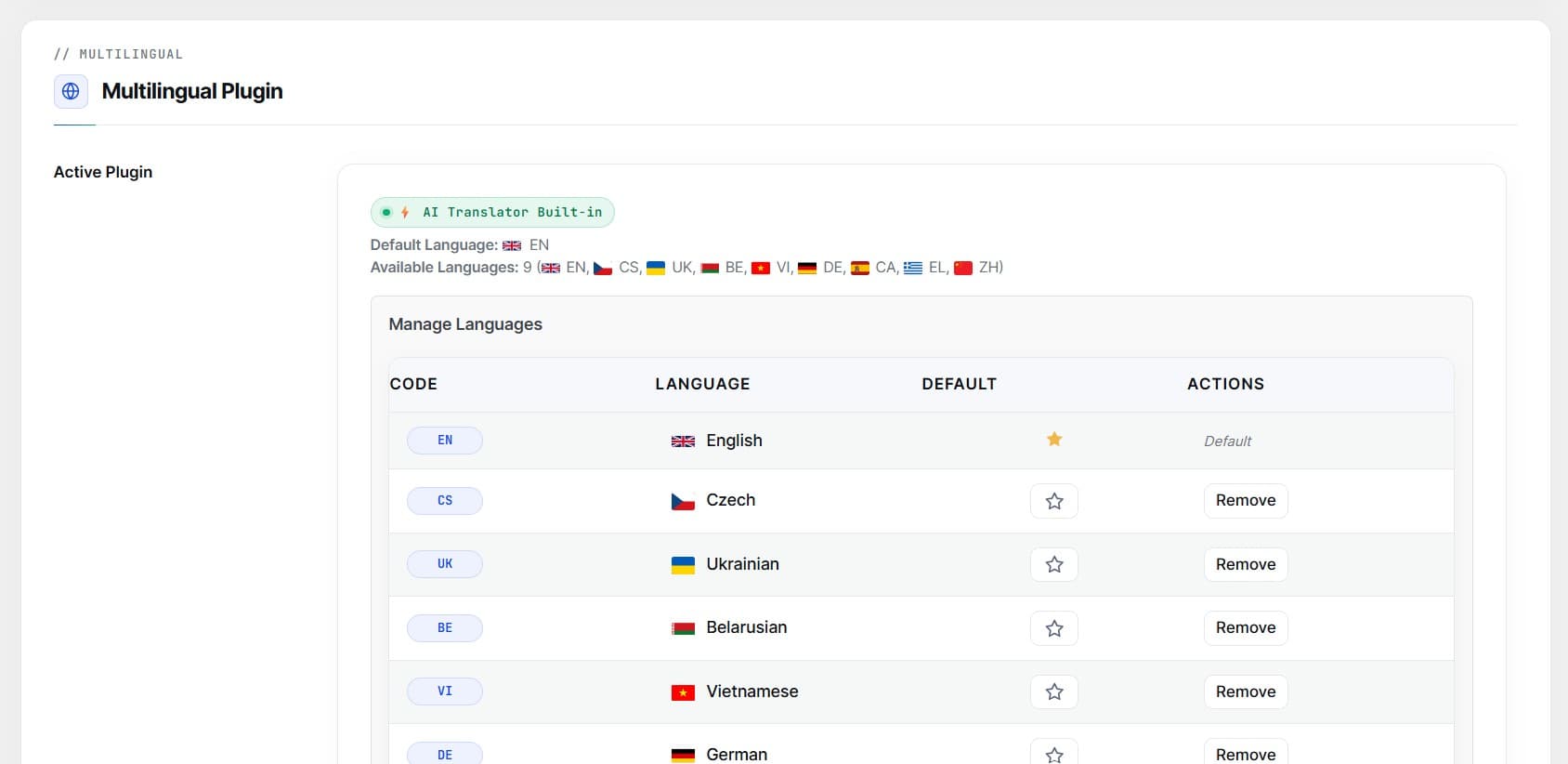
Instead of scrolling through a single long configuration page, version 1.8 organizes all plugin capabilities into 6 focused, purpose-built tabs:
⚡ General & Performance
AI engine selection, Auto-Sync toggle, translation cache, and default post status.
🌐 Languages & Switcher
Language routing, URL slug prefixes (/fr/, /de/), and live switcher style customizer.
🧩 Site Elements
Elementor Global Templates, menu auto-translate, contact form scanners, and string tables.
🔌 Plugin Integrations
Automatic detection for WooCommerce, SureCart, Yoast SEO, Rank Math, SEOPress, and AIOSEO.
📖 Brand & Glossary
Translation memory stats, brand tone of voice, and terminology overrides.
🛠️ Tools & Advanced
Theme compatibility engine, diagnostics, translation link repairs, and factory reset.
Settings Hub organized into 6 purpose-built tabs
5. Real-Time Live Search for String Translations

Large WordPress sites often have hundreds of isolated UI strings — from custom checkout notices to JetSmartFilters labels and button texts.

Version 1.8 introduces an instantaneous search-as-you-type filter with an active match counter. Finding and editing a specific string now takes seconds rather than paging through tables.
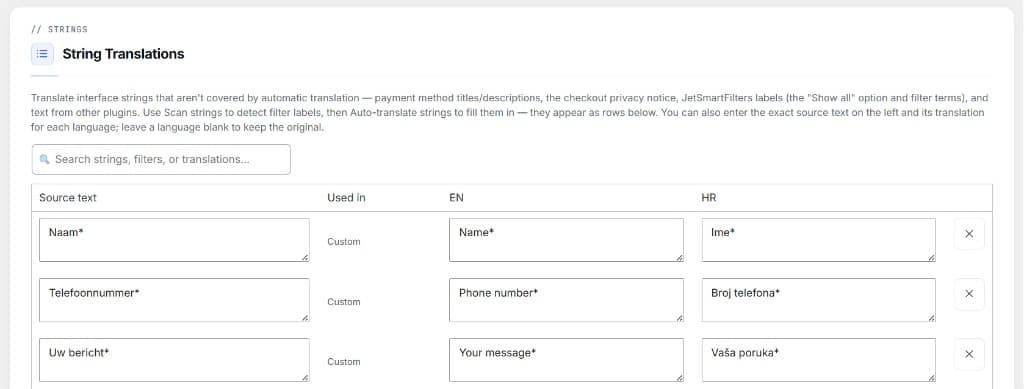
Real-time live search in String Translations table
6. Translation Queue Pause & Resume (Translate All)

Batch translating an entire site with dozens of pages on budget shared hosting can occasionally hit PHP timeout limits or throttle server CPU.

You can now Pause active bulk translation queues on the fly to let your server breathe, and hit Resume to pick up right at the exact item where you left off — with zero wasted words or duplicate translations.
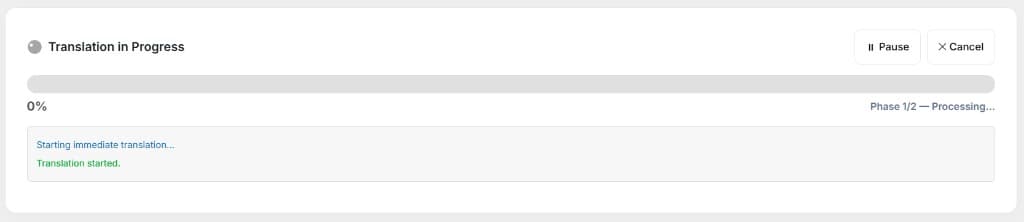
Translation in progress with Pause and Cancel controls
7. Smart Floating Selection Pill & Focused Dashboard

When working through long lists of 50+ posts or products on the main dashboard, selecting multiple items now triggers a sleek, non-intrusive floating pill showing your active selection count.

Clicking "Translate Selection ↑" smoothly glides you back to the action bar. Furthermore, the dashboard automatically hides empty post type tabs (e.g. Posts (0)), keeping your screen focused only on content that exists on your site.
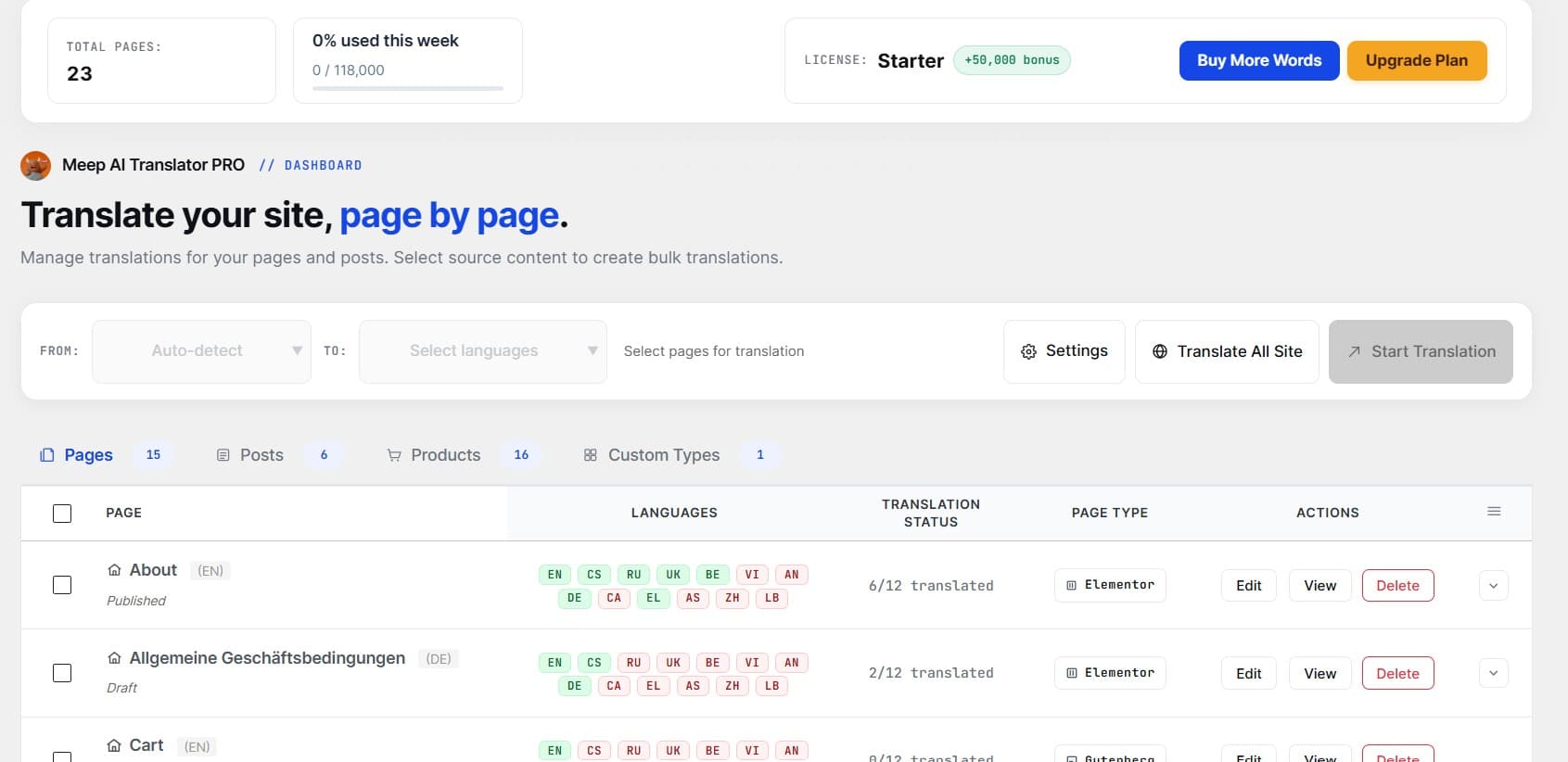
Meep AI Translator Admin Dashboard with content-aware tabs
8. Laptop & Small Screen Optimization

We rebuilt the bulk translation action bar with modern auto-wrapping flexbox layouts. All action buttons (Settings, Translate All Site, Start Translation) maintain crisp alignment and never overflow or run off-screen on common laptop resolutions (1366×768, 1440×900, and 1536×864).

Responsive translation action bar with live progress indicator

Experience Meep AI Translator 1.8.0

Update today directly from your WordPress dashboard, or install the plugin for free from WordPress.org. The free plan includes 7,200 words every month with full Elementor, Gutenberg, and WooCommerce support.

📬

Get notified when we ship

Plugin changelogs and guides — no fluff, one email per release.

No spam. Unsubscribe anytime.

Keep reading
Guide

How to Translate an Elementor Site with AI

A practical step-by-step guide — install, pick languages, translate a page, review it, and publish a multilingual site in minutes without breaking your layout.

Read →
Guide

AI Translation for Polylang: The Easy, Free Way to Go Multilingual

Set up AI-powered translation for your Polylang WordPress site — free, layout-safe, and ready in under ten minutes.

Read →
Guide

WPML vs Weglot vs Polylang: How to Translate WordPress in 2026

An honest, side-by-side comparison of the three most-used WordPress translation approaches — costs, limitations, and which fits your site.

Read →