
Following our major v1.8.0 milestone (which introduced Smart Translation Memory, Background Auto-Sync, and Claude 3.5 Sonnet routing), our team has pushed 29 consecutive iterative updates. Rather than keeping these enhancements in a private branch, we shipped weekly improvements directly to production.
Here is a deep dive into the major capabilities, architectural refinements, and user experience upgrades that arrived between v1.8.0 and v1.8.29.
1. Dynamic WP List Table Quick Translation (edit.php)
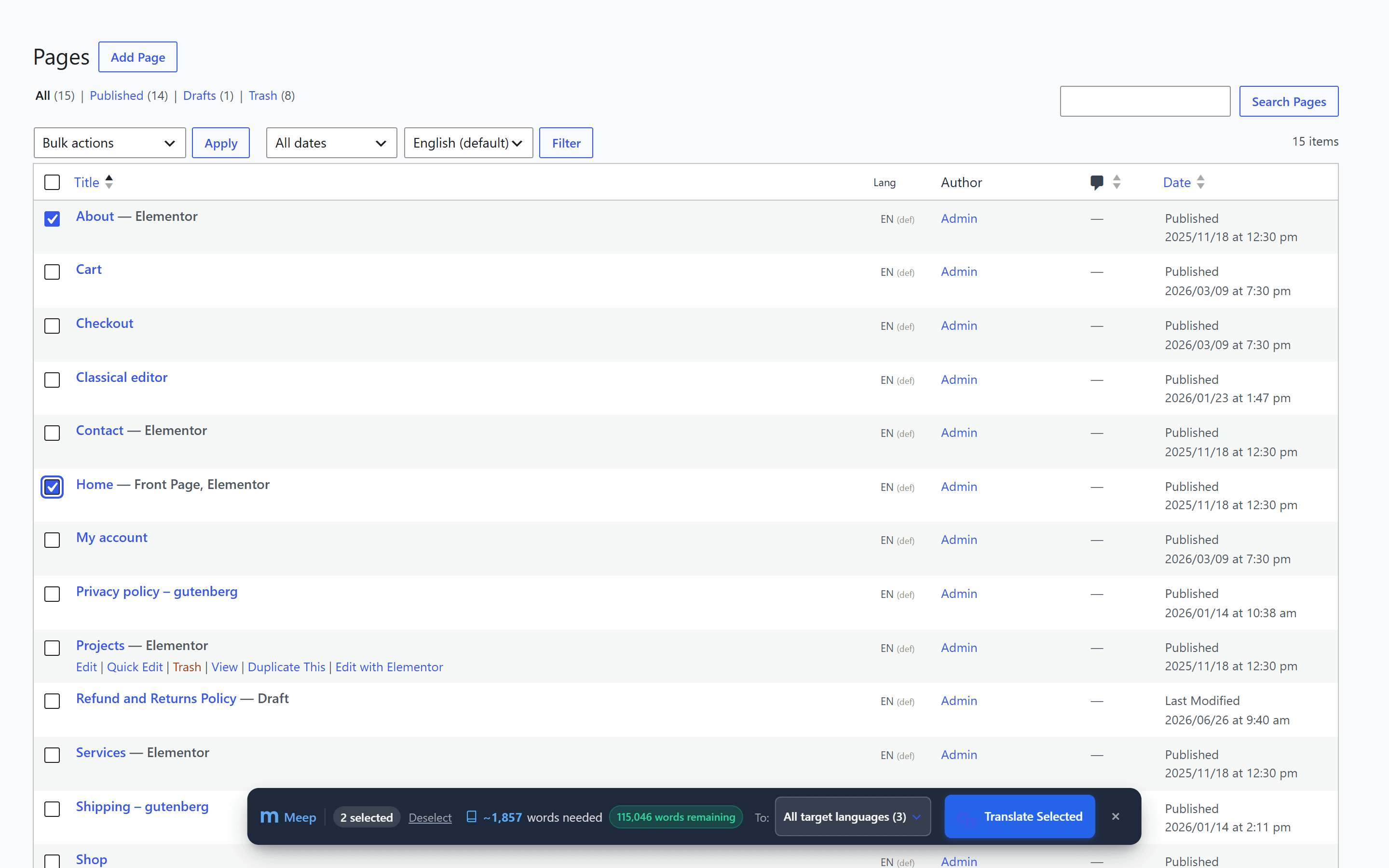
Managing translations used to require navigating away from your standard WordPress workflow into the dedicated plugin dashboard. In v1.8.28 & v1.8.29, we brought translation power directly into the native WordPress Pages and Posts screens.

How it works:
- Instant Word Calculations: As you check boxes next to pages or posts, the floating bar calculates the exact translatable word count across your selected target languages in real time.
- Pre-flight Quota Validation: The green balance pill confirms whether your current word allowance covers the operation before you initiate translation.
- Native Bulk Actions Integration: A new "Translate with Meep" action is added directly into the standard WordPress Bulk Actions dropdown for seamless muscle memory.
- Session or Permanent Dismissal: Need an uncluttered view? Click the close icon to hide the toolbar for your current browsing session, permanently disable it, or toggle it under Settings → Site Elements.
2. Unified Global Top Admin Bar Hub
In v1.8.15 through v1.8.25, we redesigned the WordPress Top Admin Bar integration into a single, cohesive Meep Hub accessible from every page on your site—both inside the WordPress admin and on the frontend.
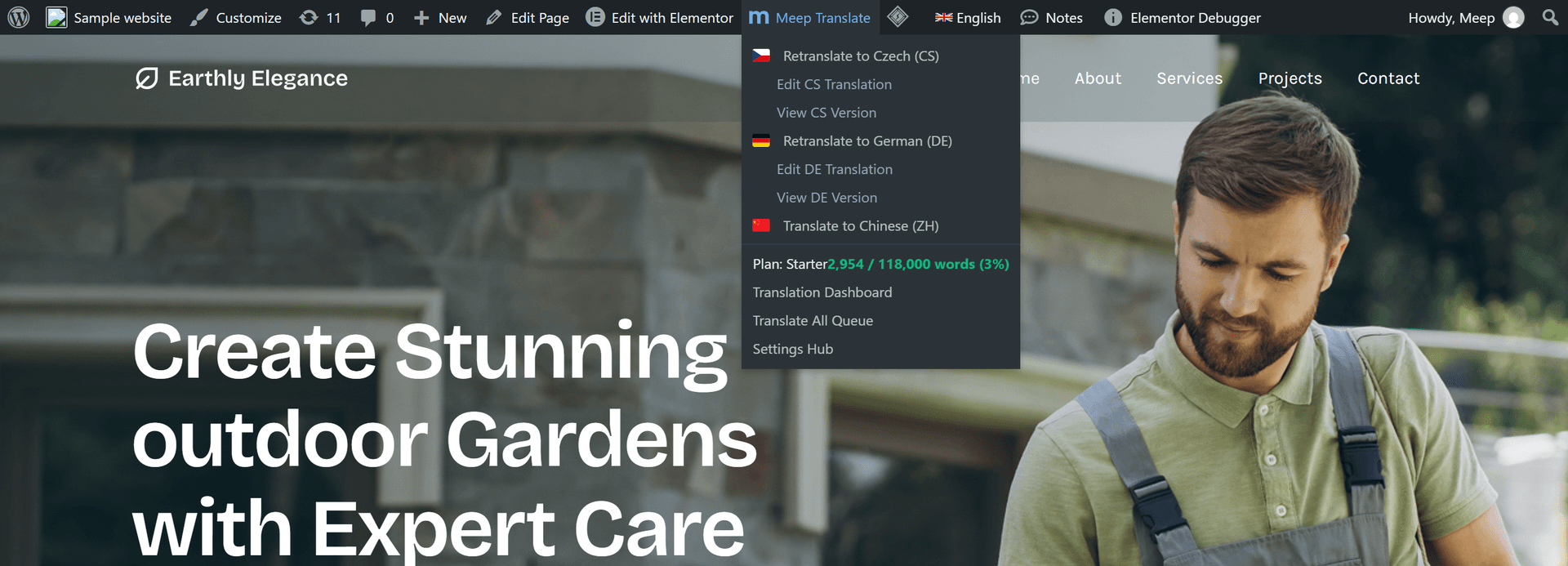
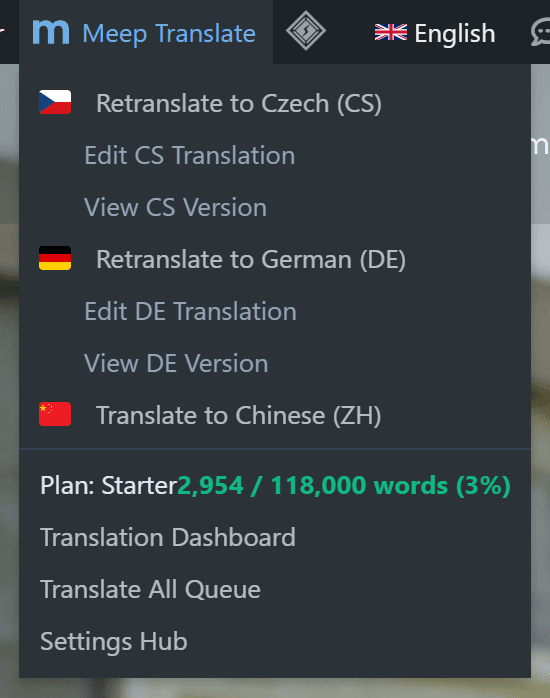
- Context-Aware 1-Click Actions: When browsing any page in your primary language, the dropdown offers 1-click commands to translate into any configured language. When viewing a translated page, it allows instant retranslation from the original source.
- Live Word Quota & Health Score: Glance at your word consumption percentage and site-wide translation completeness score without leaving the page you are reviewing.
- Frosted Glass Overlay: Initiating an admin bar translation displays an elegant full-screen frosted glass progress indicator, updating status non-destructively before refreshing the page.
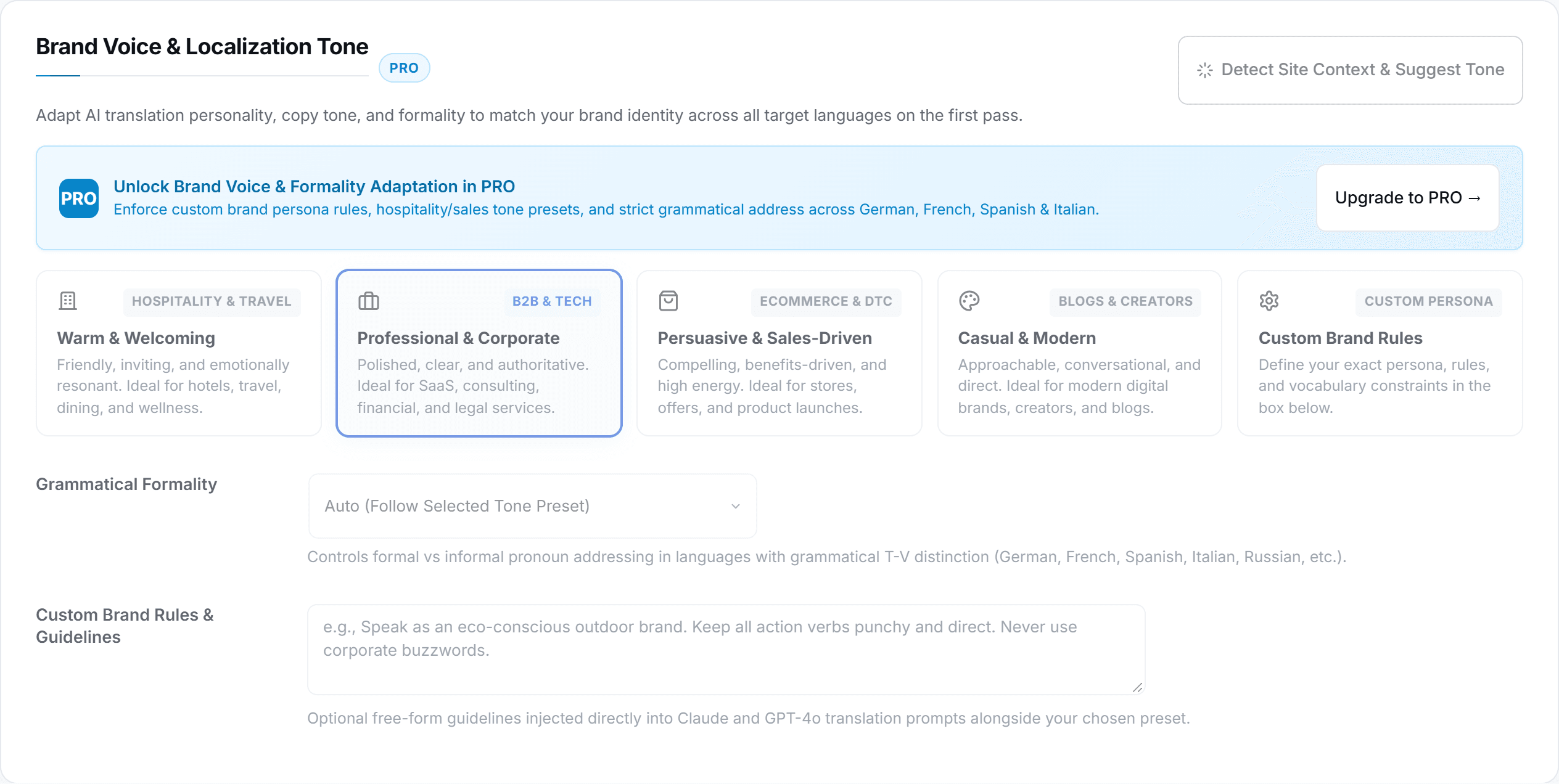
3. Brand Voice & Localization Tone (PRO)
Literal translations often fail to capture brand nuance. Introduced in v1.8.22, the Brand Voice & Localization Tone suite (located under Settings → Brand & Glossary) empowers agencies and brand managers to align AI translations with their exact corporate identity.
4. Deep Form Localization: CF7, SureForms & WPForms
In v1.8.20, form translation was fundamentally upgraded. Rather than translating superficial frontend labels, Meep performs deep structural serialization across popular form engines:
- Contact Form 7 (WPCF7): Translates full form markup, placeholders, option dropdowns, the entire 20+ notification/validation error array (
_messages), and email subjects. - SureForms: Translates labels, help text, validation rules, radio options, and Gutenberg form block parameters.
- Automatic Shortcode Rewriting: When translating a page containing
[contact-form-7 id="123"], Meep automatically swaps the ID to the translated form clone without manual editing. - Dedicated Forms Tab: Monitor all translatable forms directly from the translation dashboard with live status indicators.
5. SEO Protection & Self-Healing Architecture
Under the hood, releases v1.8.12 through v1.8.17 focused on mission-critical stability for enterprise sites:
Updating an existing page translation will never accidentally rewrite the published URL slug, preventing broken backlinks, ranking drops, and 404 errors.
Synchronizes taxonomy terms (elementor_library_type) and regenerates external CSS files automatically so translated header, footer, and container templates never lose their layouts.
Automatic pruning and self-healing safeguards prevent caching untranslated source segments if an external network timeout occurs during fallback.
Version Timeline Summary
| Version | Category | Core Improvements |
|---|---|---|
| v1.8.29 | List Table | Toolbar normalization, session & permanent hide options, settings toggle. |
| v1.8.28 | List Table | Dynamic word calculation floating toolbar on edit.php & native Bulk Actions integration. |
| v1.8.25 | Admin Bar | Unified single-page translation actions and global statistics hub into a single top bar menu. |
| v1.8.24 | Dashboard | Unified header statistics hub, official Meep branding & SVG icon standardization. |
| v1.8.23 | Admin Hub | Global Admin Bar Hub with live quota tracking and social sharing referral bonus (+2,500 words). |
| v1.8.22 | Brand Voice | 5 copywriting tone presets, grammatical formality selector & 1-click context detector. |
| v1.8.20 | Forms & Health | Translation completeness meter widget, deep Contact Form 7 / SureForms translation. |
| v1.8.16–17 | SEO & Assets | Slug preservation on retranslation, Elementor Saved Template taxonomy and CSS self-healing. |
Upgrade to Meep AI Translator Today
Update directly through your WordPress admin dashboard or download the free version on WordPress.org to experience seamless multilingual translation.