

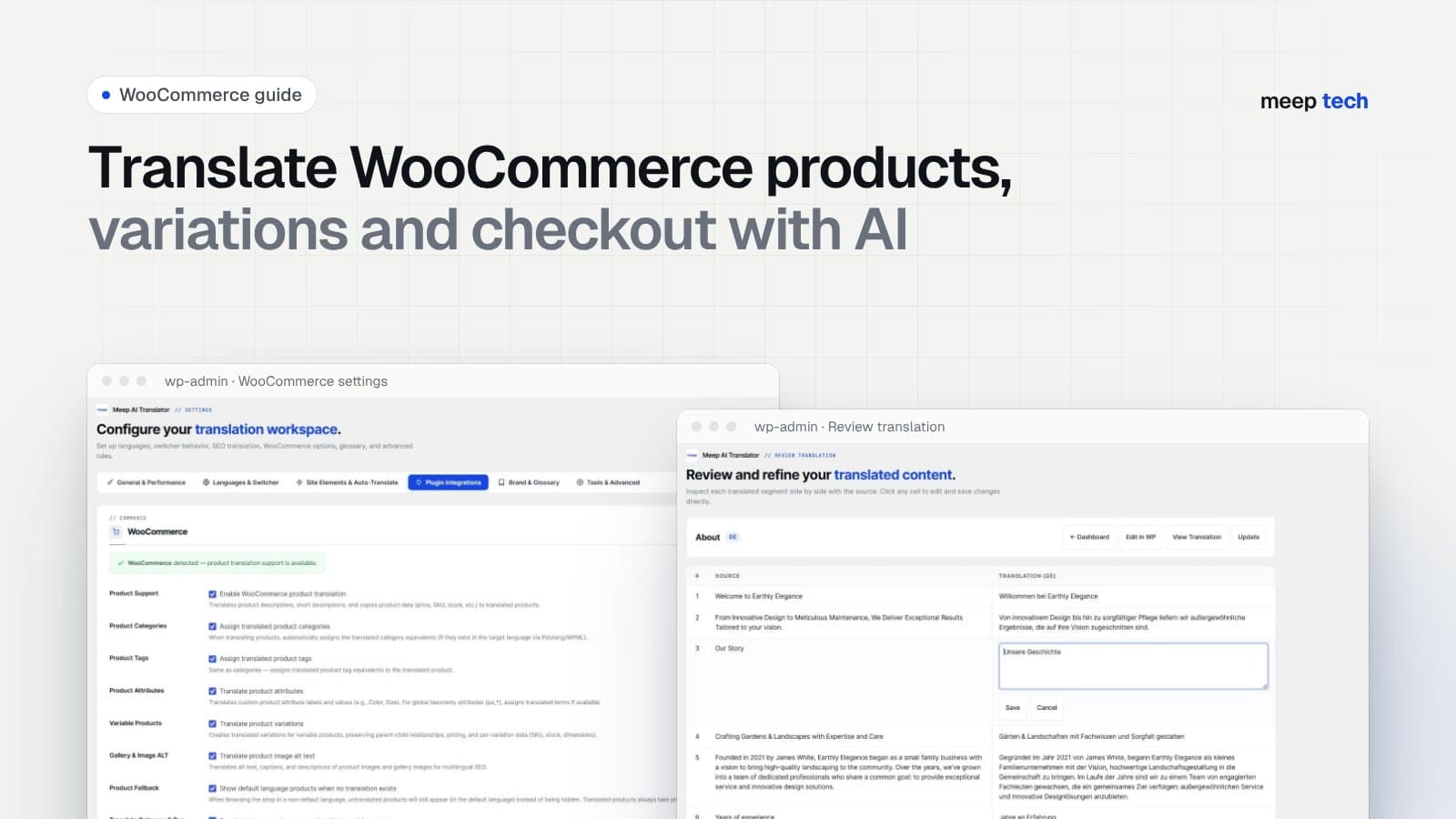
Translating a brochure site is mostly about pages. A WooCommerce store is different: every product has a title, two descriptions, attributes, variations, categories, image alt texts and an SEO title, and the cart and checkout have to stay in the right language all the way to the order. Miss one link in that chain and the shopper lands back in English, or the size dropdown stops working.
This guide uses Meep AI Translator, our WordPress plugin, which handles WooCommerce (and SureCart) without a separate add-on. The steps are the same whether you use its built-in language system or Polylang.
Set up your languages
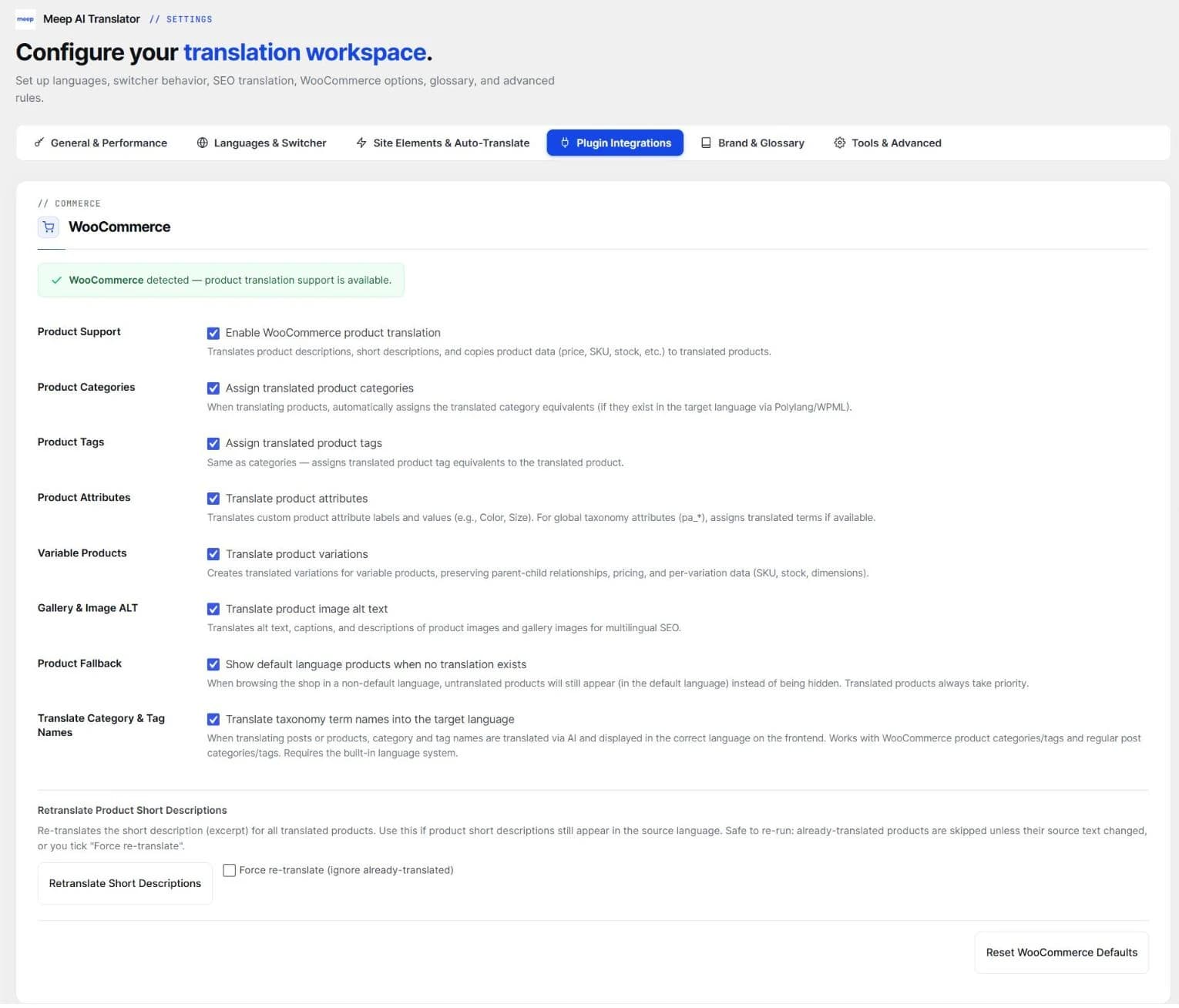
Install Meep AI Translator from WordPress.org. The setup wizard asks for your site's language and the languages you want to add. Use the built-in language system, or keep Polylang if it's already set up. The WooCommerce options (products, categories, tags, attributes, variations and image alt text) are on by default.
One thing to do yourself: install the WordPress language pack for each language under Settings → General. WooCommerce's own labels, such as "Add to cart" and "Place order", come from those packs.
Check the word count, then translate
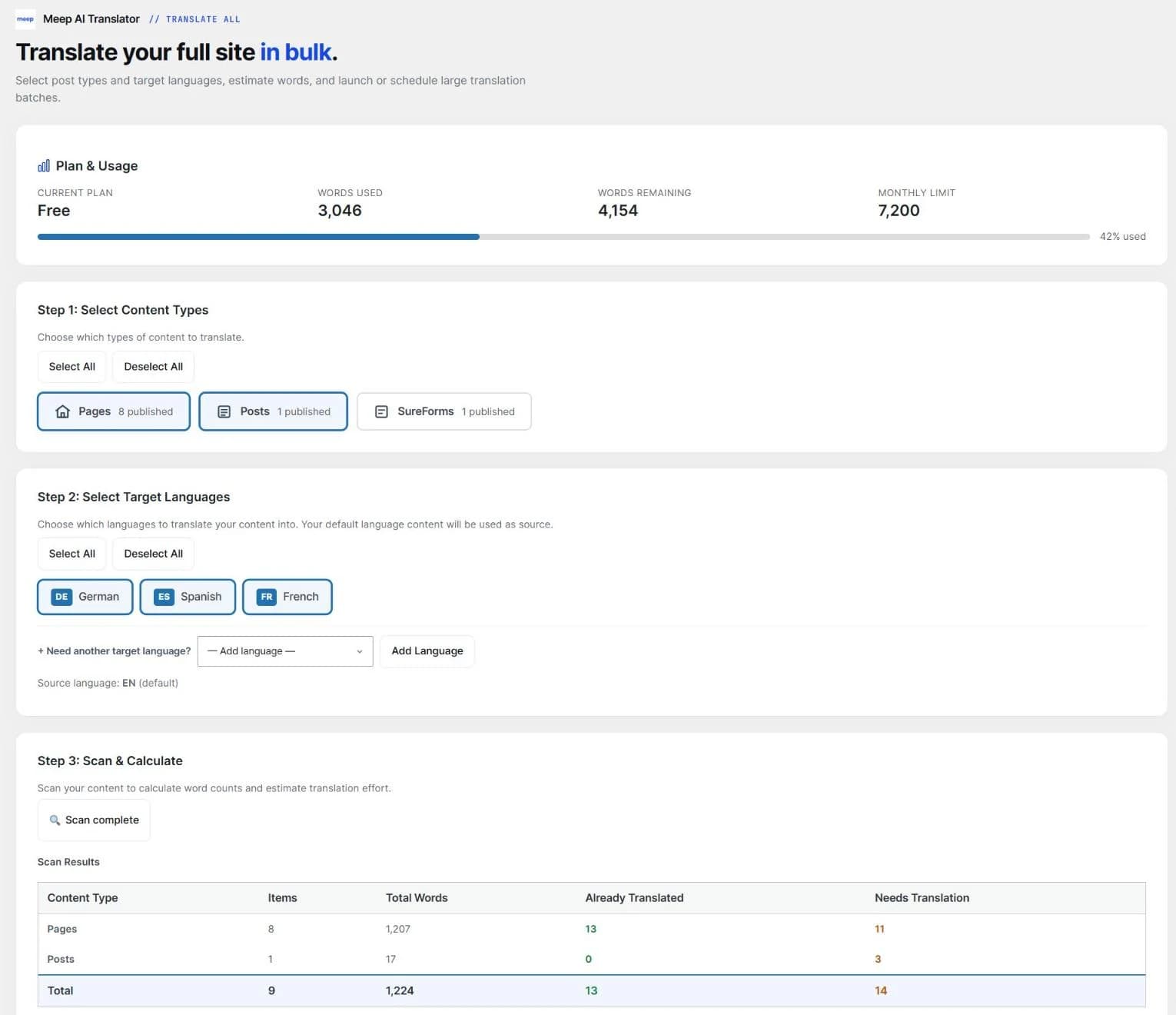
Open the plugin's Products tab to translate a few products, or Translate All to do the whole catalogue. Translate All scans first and shows how many words the job needs, so you know whether it fits your monthly allowance before anything is spent.
Let variations be handled together
Variable products are where store translations usually break. Variations are matched by attribute values. If the attribute (say, Size: Small / Medium / Large) is translated on the parent product but not on each variation, the two no longer match, and shoppers see "Sorry, no products matched your selection".
The plugin translates the attributes on the parent and on every variation in one go, for both global attributes (pa_size, pa_color) and custom ones. Prices, SKUs and variation images are copied to the translated product, so the dropdowns work as soon as it's published.
Keep brand names and repeated text under control
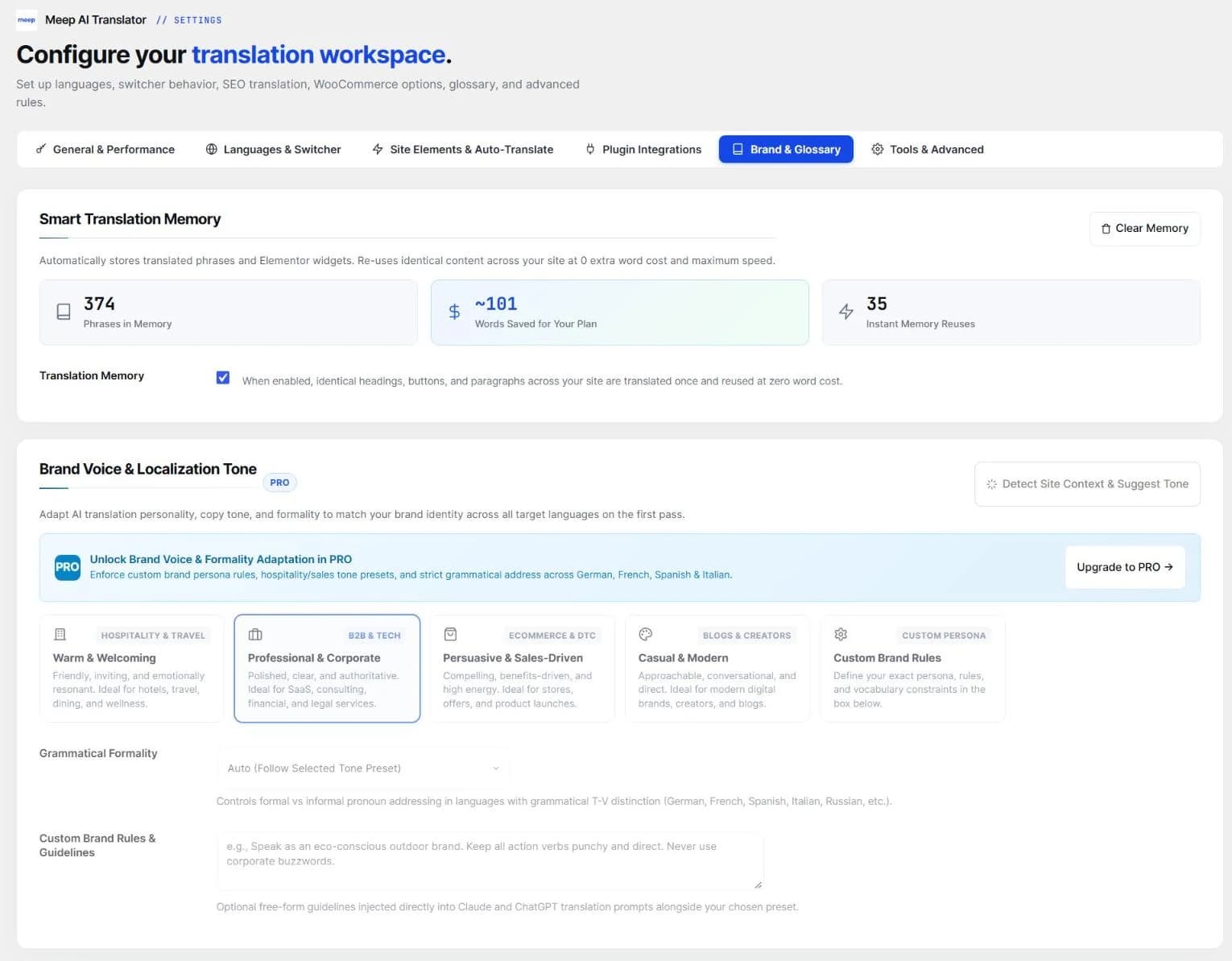
Catalogues repeat themselves: shipping notes, size guides, materials, guarantee lines. Translation memory translates each repeated sentence once and reuses it on every other product without using words again. Add brand names and model numbers to the glossary so they're never translated.
Questions
Does it copy my product images?
No. Translated products point to the same image files. Only the alt text, title and caption are translated, so each language gets its own image SEO without using extra disk space.
Which AI engine is best for product descriptions?
ChatGPT, available on every plan including the free one, works well for most catalogues. Paid plans add Claude, which is good with persuasive marketing copy, and DeepL, which is strong on technical product data in European languages.
How many words will my store need?
Run the Translate All scan: it counts every product, page and post. As a rough guide, 50 products with 150-word descriptions in two languages come to about 15,000 words before translation memory removes the repeats.
Start with ten products
The free plan covers 7,200 words a month. Translate a handful of products, check the variations and the checkout, then decide whether you need a paid plan (from $9.99 a month).