

If you're choosing a multilingual plugin for WordPress, TranslatePress and Polylang are usually the first two names on the list. They look like they do the same job. Under the hood they don't, and the difference shows up later: in page speed, in how you edit a translation, and in what you pay each year.
A note on bias: we make Meep AI Translator, which works with Polylang. We've tried to describe TranslatePress fairly, and the prices below are taken from each vendor's pricing page.
How each one stores translations
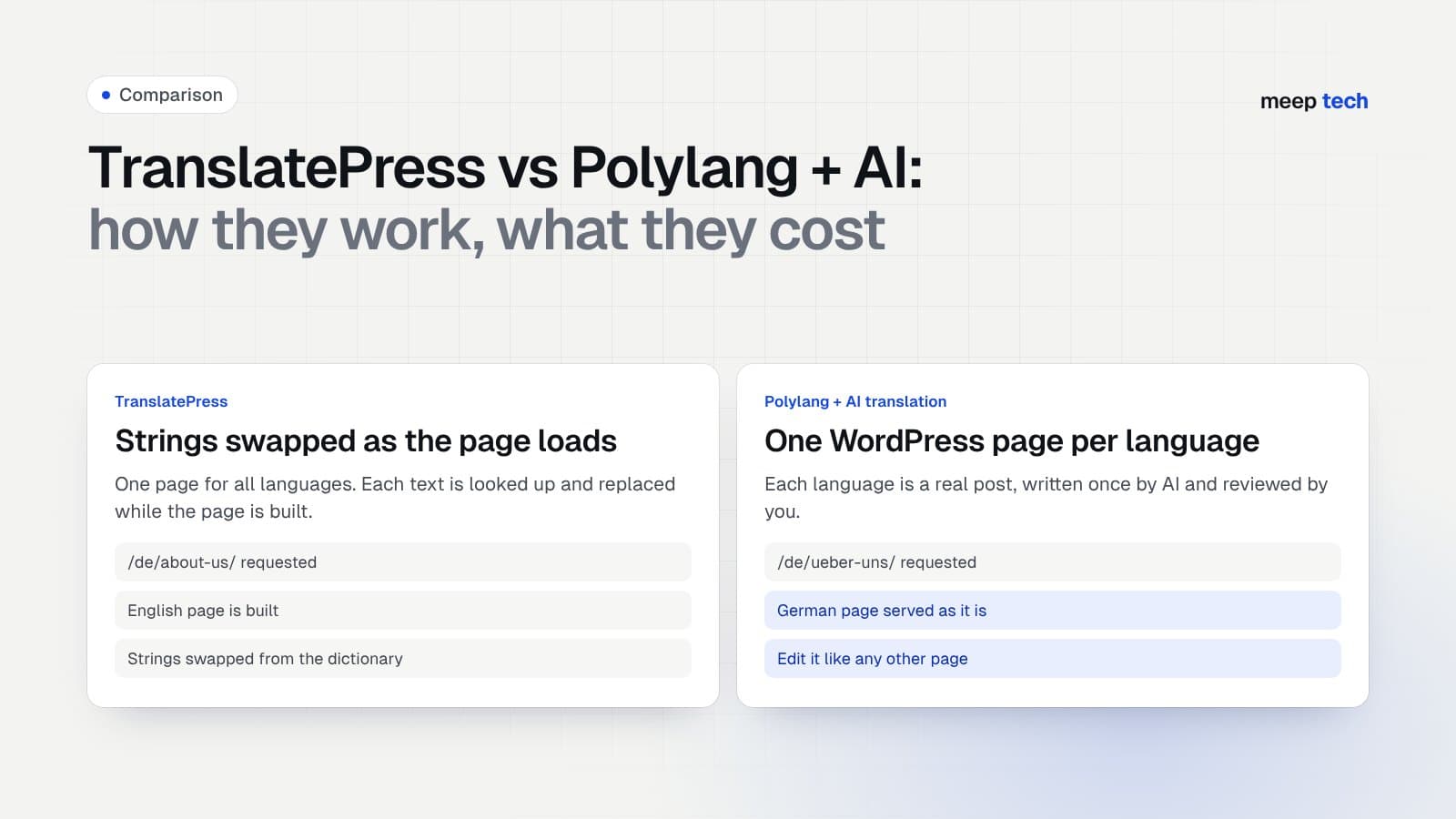
TranslatePress keeps one page per piece of content. When someone opens the German URL, WordPress builds the original English page, and TranslatePress replaces each string with its German version from its own dictionary tables before the page is sent.
That approach has real upsides. You translate by clicking text on the live page, theme and plugin strings are caught automatically, and there is only one page to maintain. The downsides:
- Every language shares one layout. Showing a different image, offer or section in one language is awkward.
- Pages that can't come from the page cache (cart, checkout, logged-in users) do the string lookup on every request.
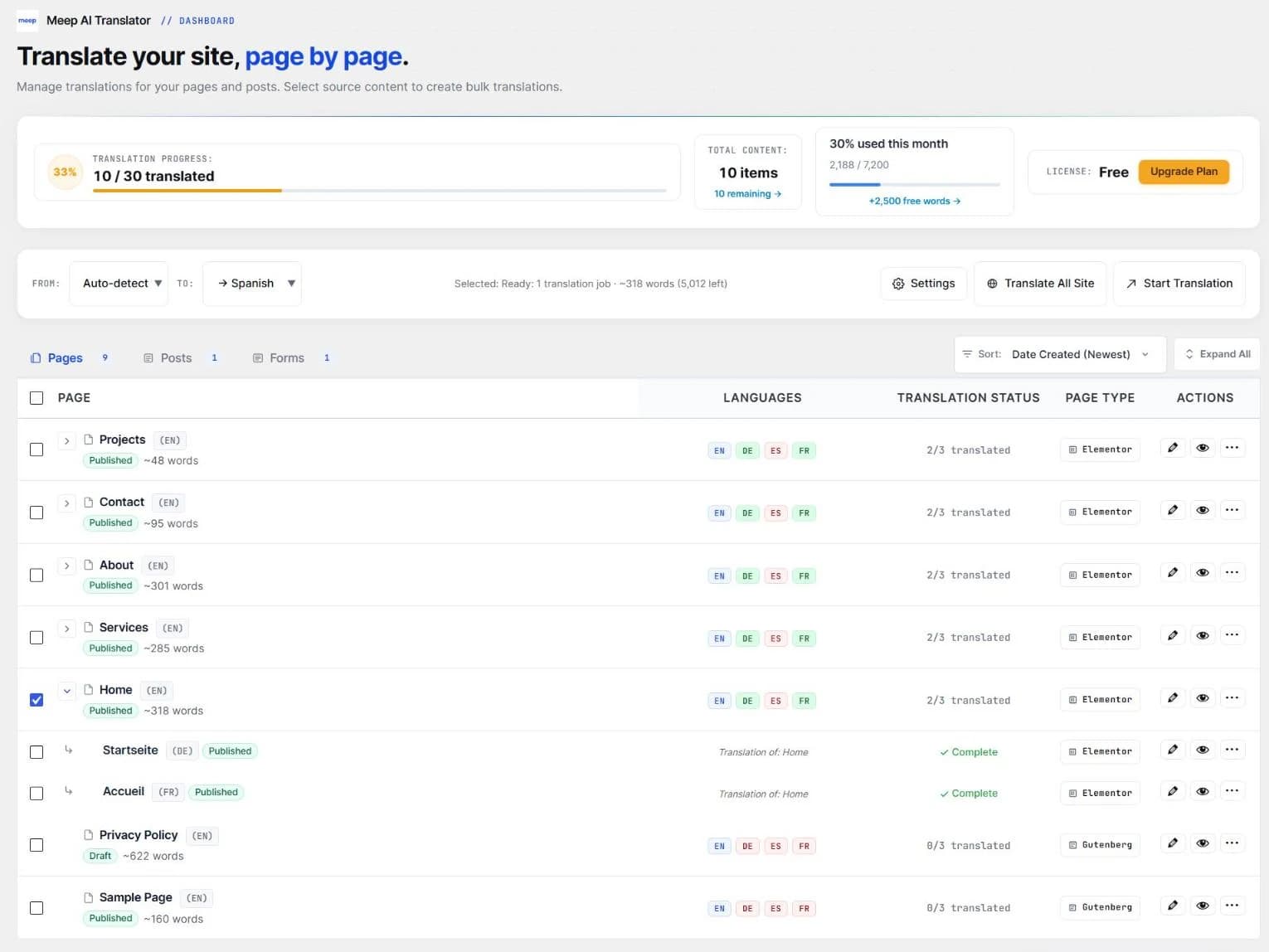
Polylang (and Meep AI Translator's built-in language system) creates a real WordPress post for each language, linked to the original. /de/ueber-uns/is an ordinary page, so WordPress serves it like any other. You can change it freely per language. The cost is more posts to keep in sync when the original changes, which is the job an AI translator's auto-sync takes over.
Side by side
| TranslatePress | Polylang | Polylang or built-in + Meep | |
|---|---|---|---|
| Languages on the free version | 1 extra language | Unlimited | Unlimited |
| Automatic translation | TranslatePress AI (2,000 free words, more on paid plans); DeepL on Business | Free: none. Pro: DeepL with your own key, not for Elementor | ChatGPT on every plan, 7,200 free words a month; Claude and DeepL on paid plans |
| Translated URL slugs and SEO meta | SEO Pack, from the Personal plan | You type them yourself | Translated automatically, on every plan |
| WooCommerce | Yes, string by string | Needs Polylang for WooCommerce (€99/yr) | Products, variations, attributes, cart and checkout included |
| One site, 3 languages, 3 years | About €297 (Personal, €99/yr) | €0 if you translate by hand; about €198 with the WooCommerce add-on | $0 within 7,200 words a month; about $360 on Starter; or $299 once (Agency Lifetime) |
List prices without VAT, checked November 2026. Renewal discounts change, so check each vendor before you buy.
Where the costs come from
TranslatePress is free to install, but the free version allows one extra language and keeps URL slugs and SEO titles untranslated. A site that needs German, French and Spanish with translated URLs needs at least the Personal plan, renewed every year.
Polylang is free for as many languages as you want, but someone has to write every translation. For a 20-page site in three languages, that's 60 pages of copy-pasting and checking layouts.
With Meep AI Translator on top of Polylang (or on its own), the language count isn't a pricing tier. You pay for words: the free plan covers 7,200 a month, which is enough for a small site, and slugs and SEO meta for Yoast, Rank Math, SEOPress and SureRank are translated on every plan.
Which one should you pick?
- TranslatePress if you have a small site, want to edit translations visually on the page, and are fine with one layout for all languages.
- Polylang alone if you have a translator or the time to translate yourself, and want full control over each language version.
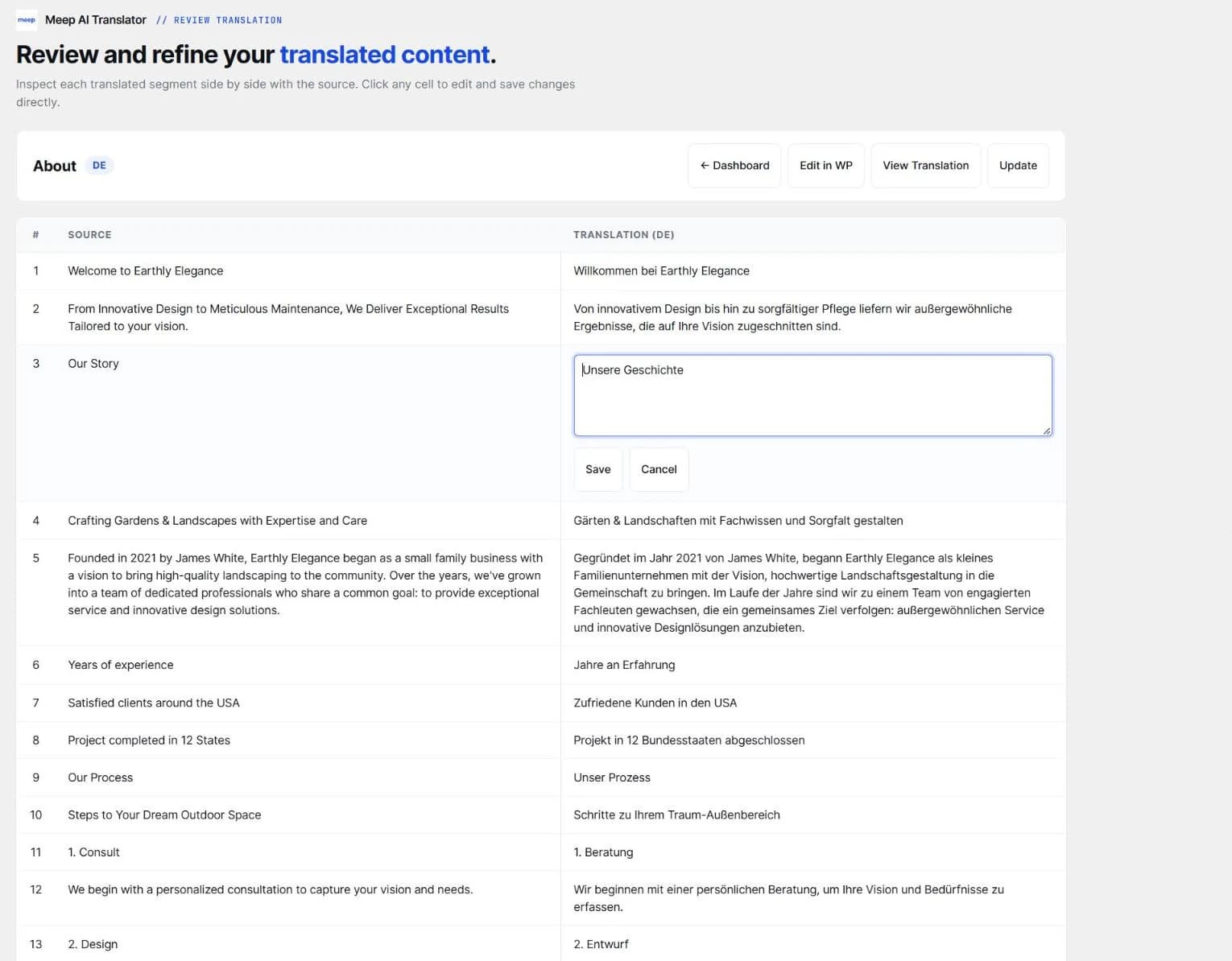
- Polylang (or the built-in system) + Meep AI Translator if you build with Elementor or WooCommerce and want separate pages per language without writing them by hand.
Switching from TranslatePress
The two plugins can't run at the same time, because both change the same WordPress output. If Meep AI Translator detects TranslatePress, it shows a notice. Deactivate TranslatePress, then set up languages in the built-in system (or Polylang) and translate your pages. Your original content isn't touched.
Questions
Is Polylang faster than TranslatePress?
On cached pages the difference is small. On pages that can't be cached, like cart, checkout or anything for logged-in users, Polylang serves a normal post while TranslatePress replaces strings as the page is built.
Do I need Polylang Pro to translate Elementor or WooCommerce?
Not with Meep AI Translator. It works with free Polylang, or with no Polylang at all, and handles Elementor layouts and WooCommerce products itself.
What happens to my translations if I stop paying?
They stay. Translations are normal WordPress pages and products in your own database, so they keep working and stay editable. You only lose automatic translation beyond the free monthly words.
Try it on one page first
Meep AI Translator is free on WordPress.org with 7,200 words a month. Translate one page, check the layout, and decide from there.